> ## Documentation Index
> Fetch the complete documentation index at: https://explore.airia.com/llms.txt
> Use this file to discover all available pages before exploring further.
# Integrate Memory Objects as Tools
Airia allows you to leverage **Memory Objects** as tools within your agents. This approach grants your model greater control over when to load and store information, contrasting with memory blocks that execute on every agent run. This offers flexibility for different agentic use cases.
## Prerequisites
Before integrating Memory Objects as tools, ensure you have an existing Memory block in your project. If not:
1. Navigate to **Project** > **Memory**.
2. Create a new **Memory Block**.
## Set Up Memory Objects as Tools
There are two distinct Memory Object tools: one for loading memory and one for storing memory. You will need to add and configure both.
1. **Add Memory Tools:**
* Navigate to the **Tools** section in your Airia dashboard.
* Search for and add the **Load Memory** tool.
* Search for and add the **Store Memory** tool.
2. **Configure the Load Memory Tool:**
* On the **Load Memory** tool's configuration page, you'll see a default prompt guiding the model on how to use this tool. You can edit this prompt to better suit your specific use case.
* From the **Memory** dropdown, select the existing Memory block you wish this tool to access.
3. **Configure the Store Memory Tool:**
* Repeat the configuration steps for the **Store Memory** tool.
* Customize its prompt as needed.
* Select the same (or a different) **Memory** block from the dropdown where this tool should store information.
## Add Tools to an Agent
Once both Memory Object tools are saved, you can add them to an agent:
* Follow the instructions in the [Tools setup guide](https://explore.airia.com/integrations/Tools/tools#adding-tools-to-agents) to integrate these tools into your agent workflow.
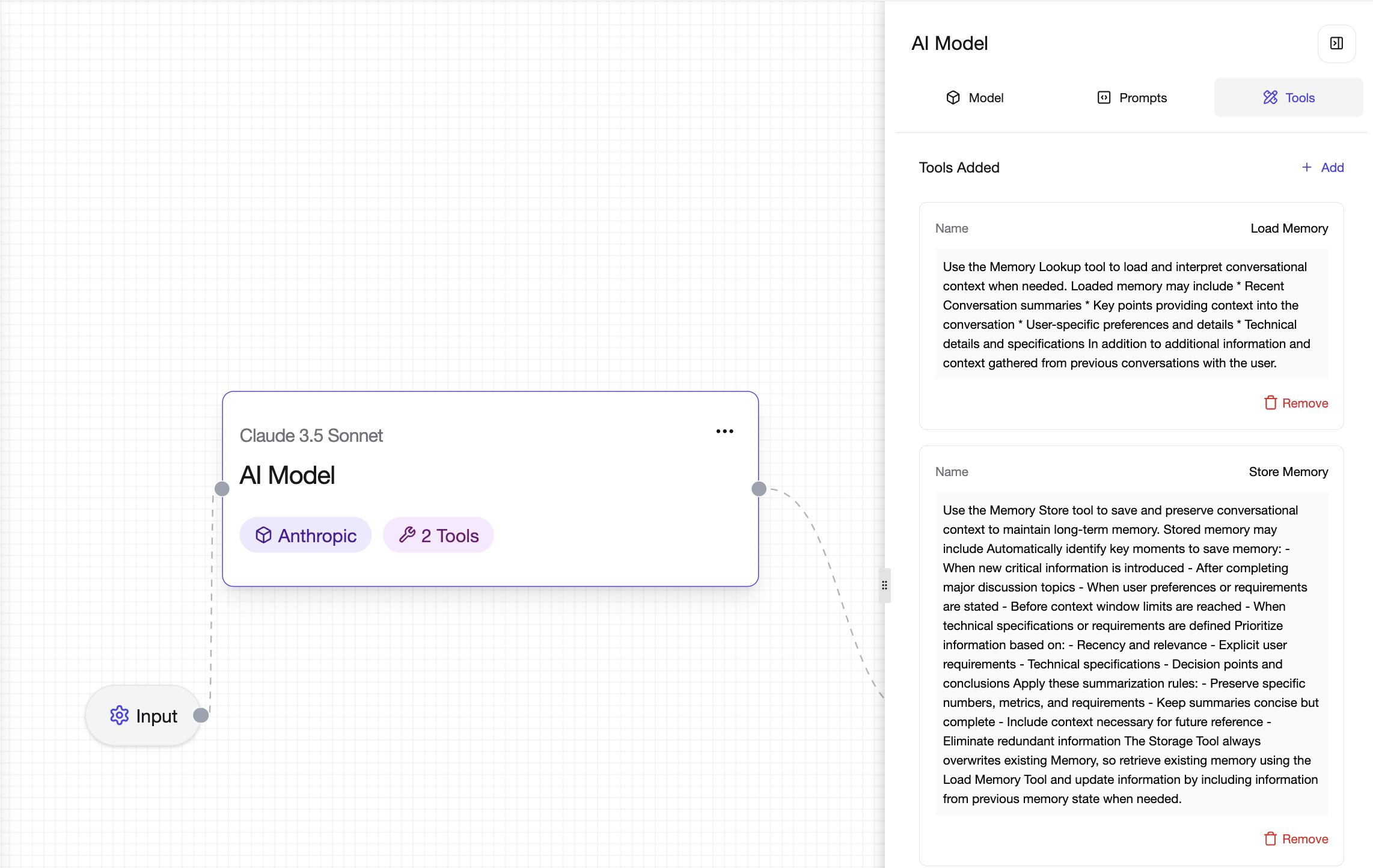 The **Store Memory** tool always **overwrites** the entire contents of the Memory Object. If you want to preserve existing data, instruct the model in your prompt to **Load Memory first**, merge the new information with what was already stored, and then **Store** the combined result. Without this guidance, the model may store only the latest information and erase everything that was previously saved.
For improved model responses and to ensure the model uses the Memory tools effectively, it is always recommended to add a prompt to your model. This prompt should provide details about your agent's specific use case and how it should interact with memory.
The **Store Memory** tool always **overwrites** the entire contents of the Memory Object. If you want to preserve existing data, instruct the model in your prompt to **Load Memory first**, merge the new information with what was already stored, and then **Store** the combined result. Without this guidance, the model may store only the latest information and erase everything that was previously saved.
For improved model responses and to ensure the model uses the Memory tools effectively, it is always recommended to add a prompt to your model. This prompt should provide details about your agent's specific use case and how it should interact with memory.