> ## Documentation Index
> Fetch the complete documentation index at: https://explore.airia.com/llms.txt
> Use this file to discover all available pages before exploring further.
# Notion MCP
To use Notion, you will have to generate an Integration Secret via your Notion app, and authenticate it to access specific pages.
## Creating a Notion Integration
1. **Access Notion Integrations**\
To get started, start on the Integrations page at: [The AI workspace that works for you. | Notion](https://www.notion.so/my-integrations).
2. **Add New Integration**\
Once here, **Add a New Integration** of type **Internal**, and associate it with the workspace you want to access via the MCP Server.
3. **Configure Integration Settings**\
Configure your integration settings and provide the relevant permissions for the actions you want your agents to perform.
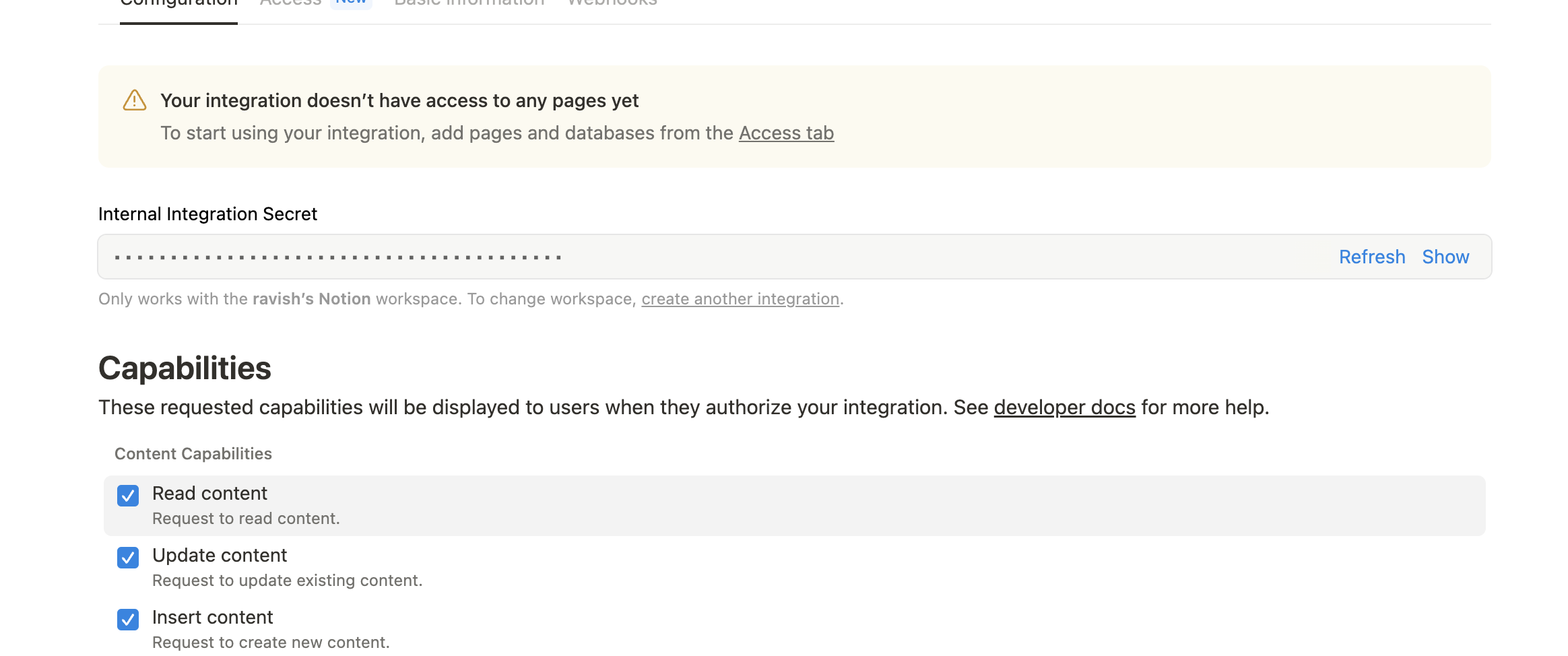 4. **Save Integration Secret**\
Save the **Integration Secret**. This will be used as your credential when adding the Notion MCP Server.
## Granting Page Access
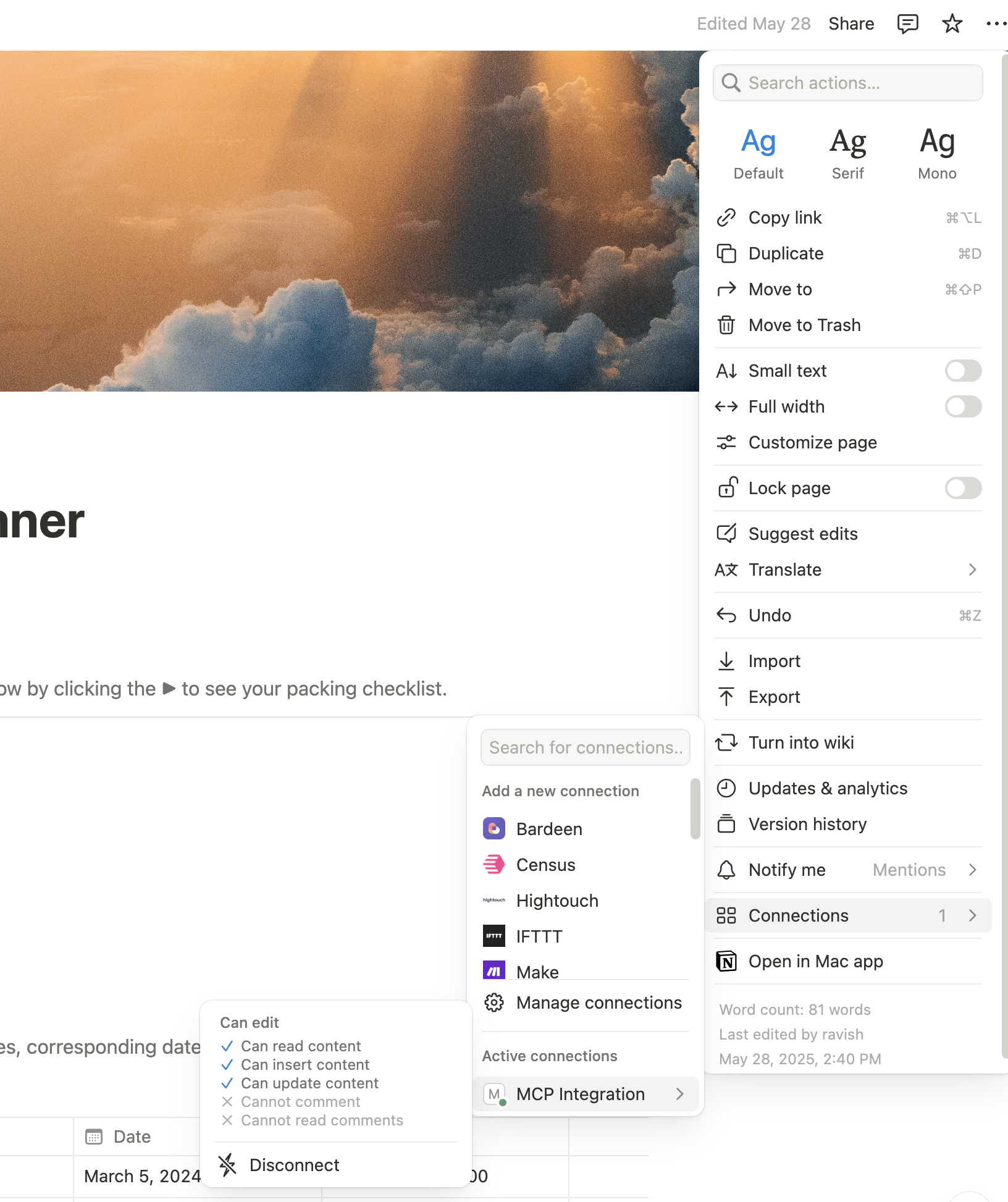
Next, navigate to the specific pages you want the MCP Server to access.
1. **Access Page Connections**\
Select the **3 dot menu → Connections → \[MCP Server name]** (or name of the integration from the previous step).
2. **Grant Access**\
This will grant your integration access to that specific page and any sub-pages within it.
4. **Save Integration Secret**\
Save the **Integration Secret**. This will be used as your credential when adding the Notion MCP Server.
## Granting Page Access
Next, navigate to the specific pages you want the MCP Server to access.
1. **Access Page Connections**\
Select the **3 dot menu → Connections → \[MCP Server name]** (or name of the integration from the previous step).
2. **Grant Access**\
This will grant your integration access to that specific page and any sub-pages within it.
 ## Adding Notion MCP to Airia Platform
Once your integration is created and pages are connected:
1. **Configure Notion MCP Server**\
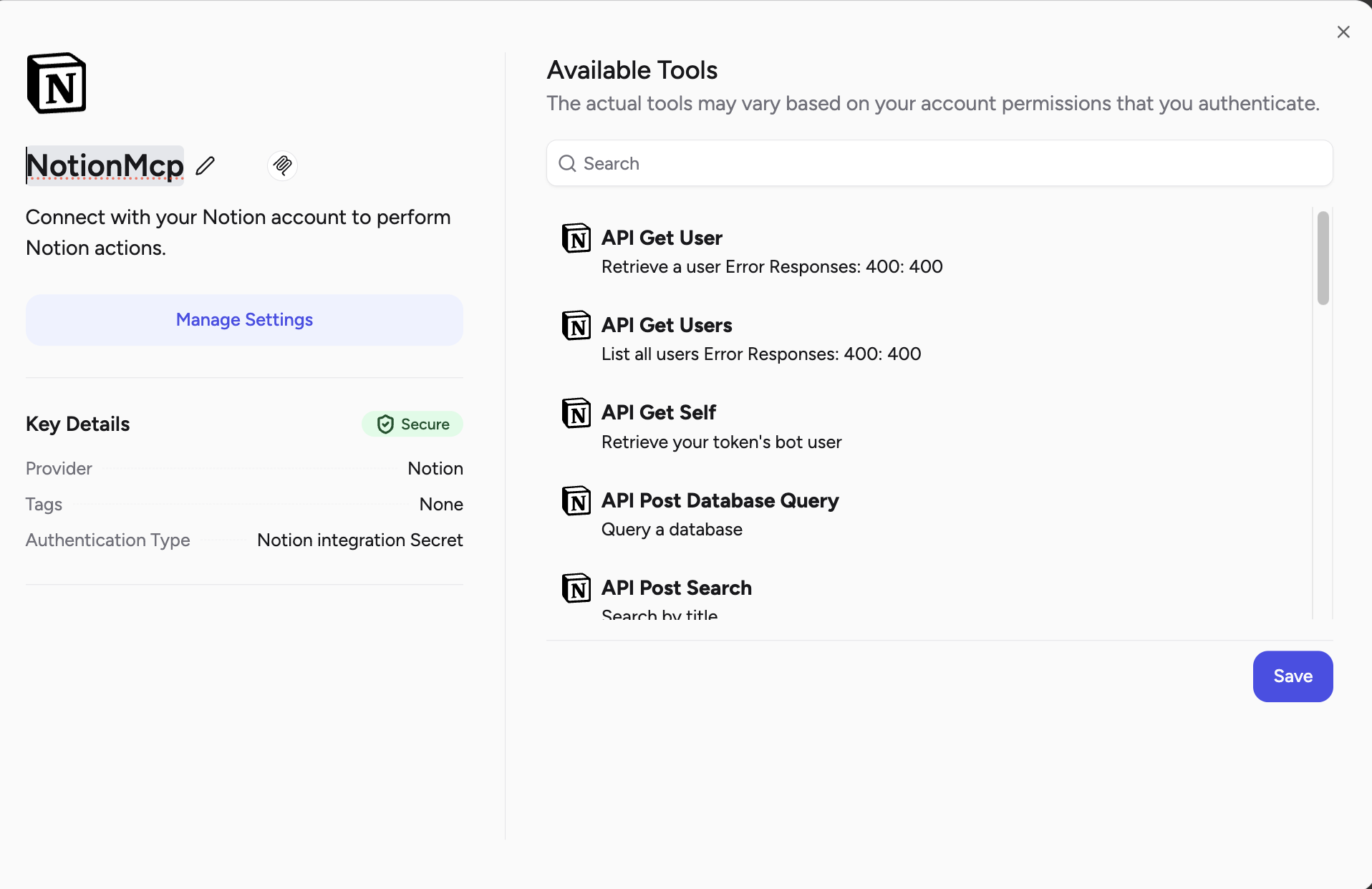
You can now configure your Notion MCP Server on Airia by providing the Integration Secret as your credential.
2. **Tool Discovery**\
The platform will automatically discover and configure the available Notion tools based on your integration permissions and connected pages.
## Adding Notion MCP to Airia Platform
Once your integration is created and pages are connected:
1. **Configure Notion MCP Server**\
You can now configure your Notion MCP Server on Airia by providing the Integration Secret as your credential.
2. **Tool Discovery**\
The platform will automatically discover and configure the available Notion tools based on your integration permissions and connected pages.
 ## Using Notion MCP Tools in Agents
Once configured, your agents can interact with your connected Notion pages and databases, performing operations based on the permissions granted through your integration.
## Using Notion MCP Tools in Agents
Once configured, your agents can interact with your connected Notion pages and databases, performing operations based on the permissions granted through your integration.